
2 appsMihrab TV and Mihrab Remote
Real-timeChanges from the phone appear instantly
OfflinePrayer times keep running without internet
FreeNo account and no ads
Mihrab TV
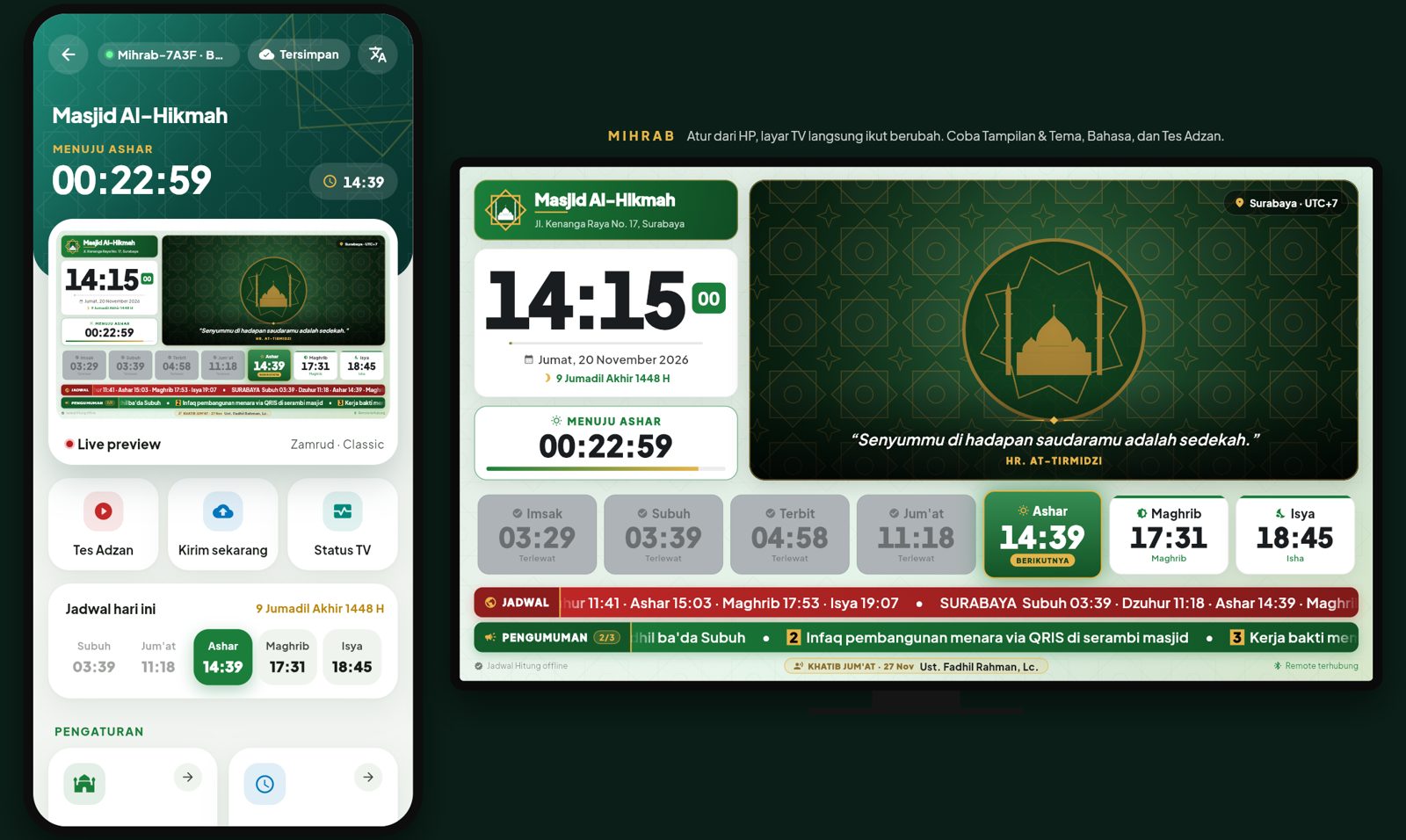
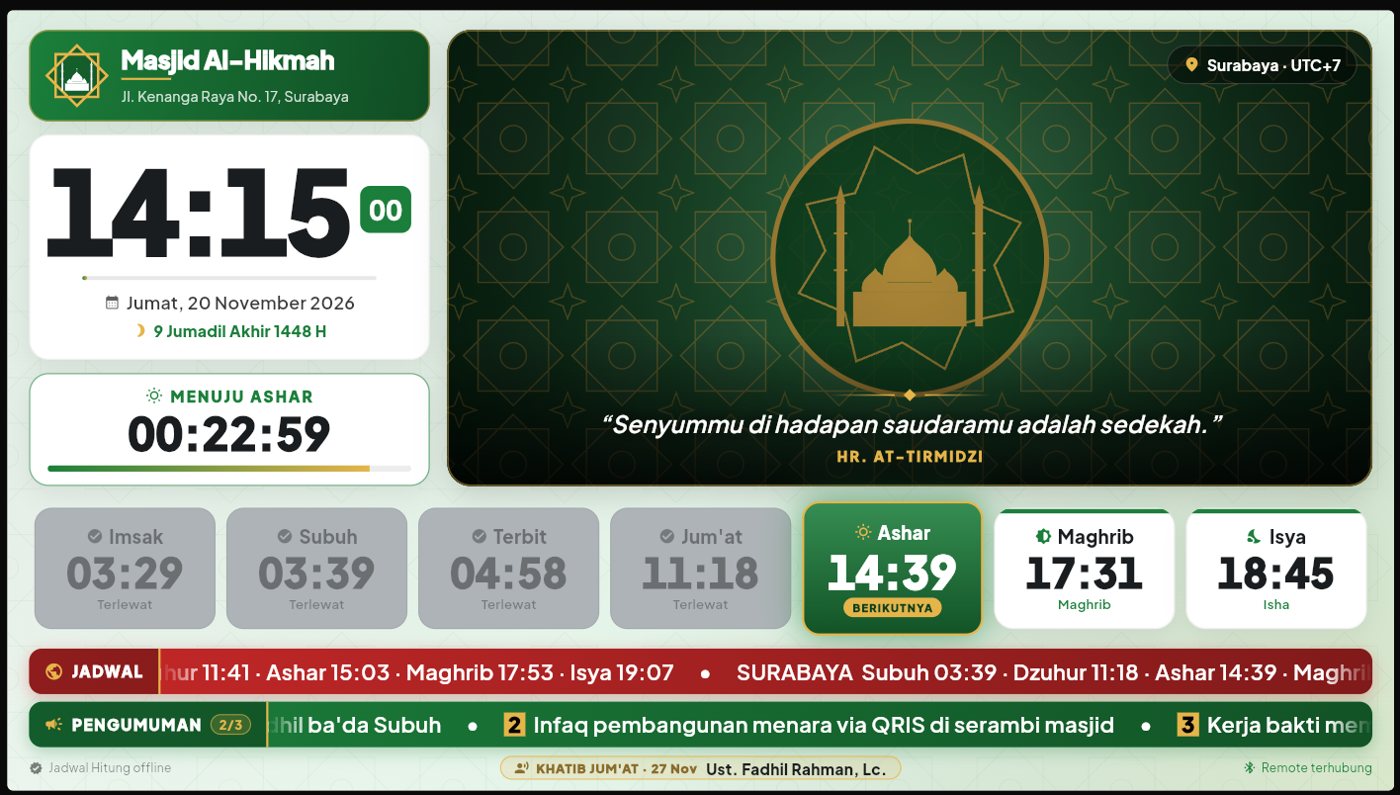
An informative and calming mosque display
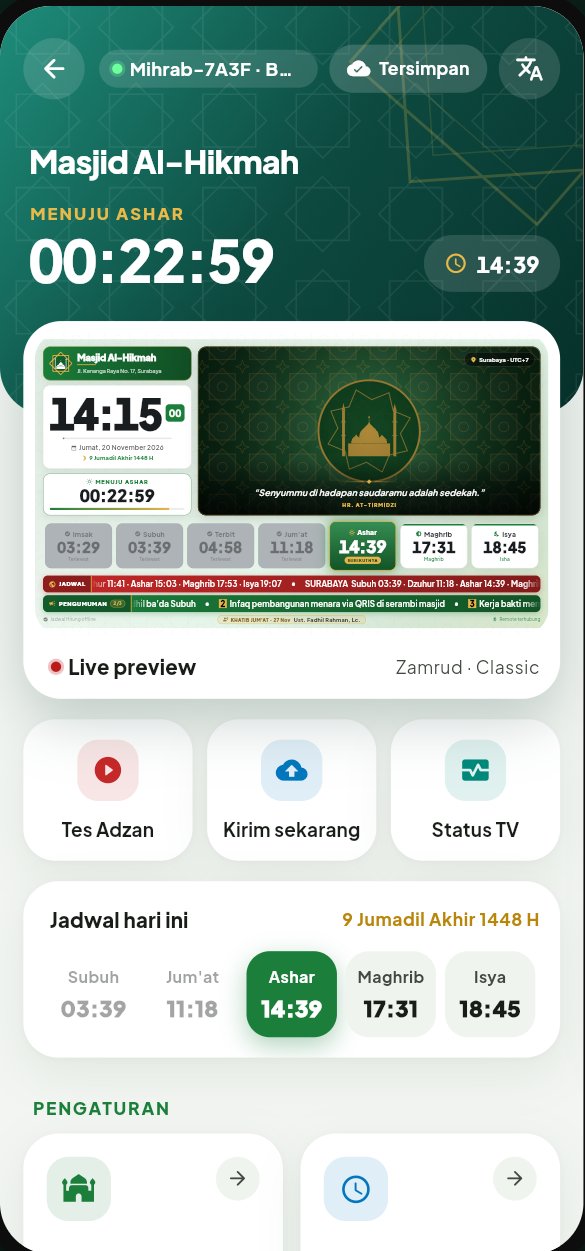
A large clock and Hijri date, six prayer times with the next one highlighted, a countdown to prayer, Quran and hadith quotes, scrolling text with other cities' times, announcements, and the Friday preacher's name.
Mihrab Remote
All the mosque's settings in the committee's hands
A live TV-screen preview on the phone, Test Adhan, Send now, and TV Status buttons, plus today's full schedule with the Hijri date. Available in several languages.
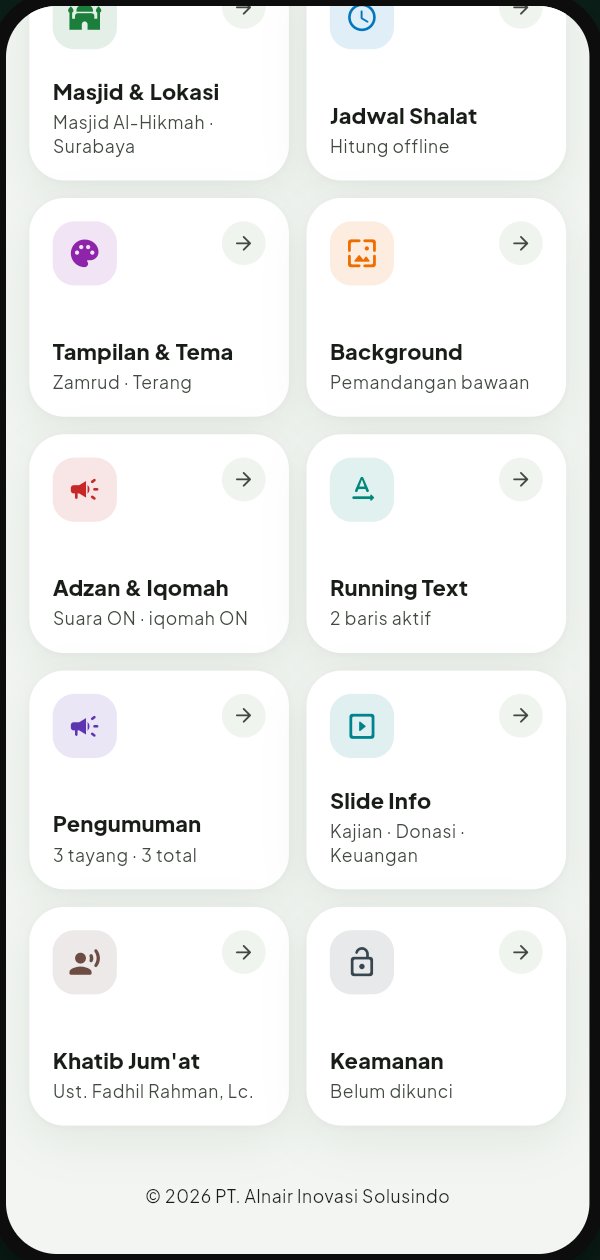
- Mosque & locationThe mosque's name, address, and time zone appear on the TV screen.
- Automatic prayer timesCalculated automatically from the location, and keep running without internet.
- Display & themeA choice of color themes and light or dark mode.
- BackgroundBuilt-in scenery or the mosque's own photos.
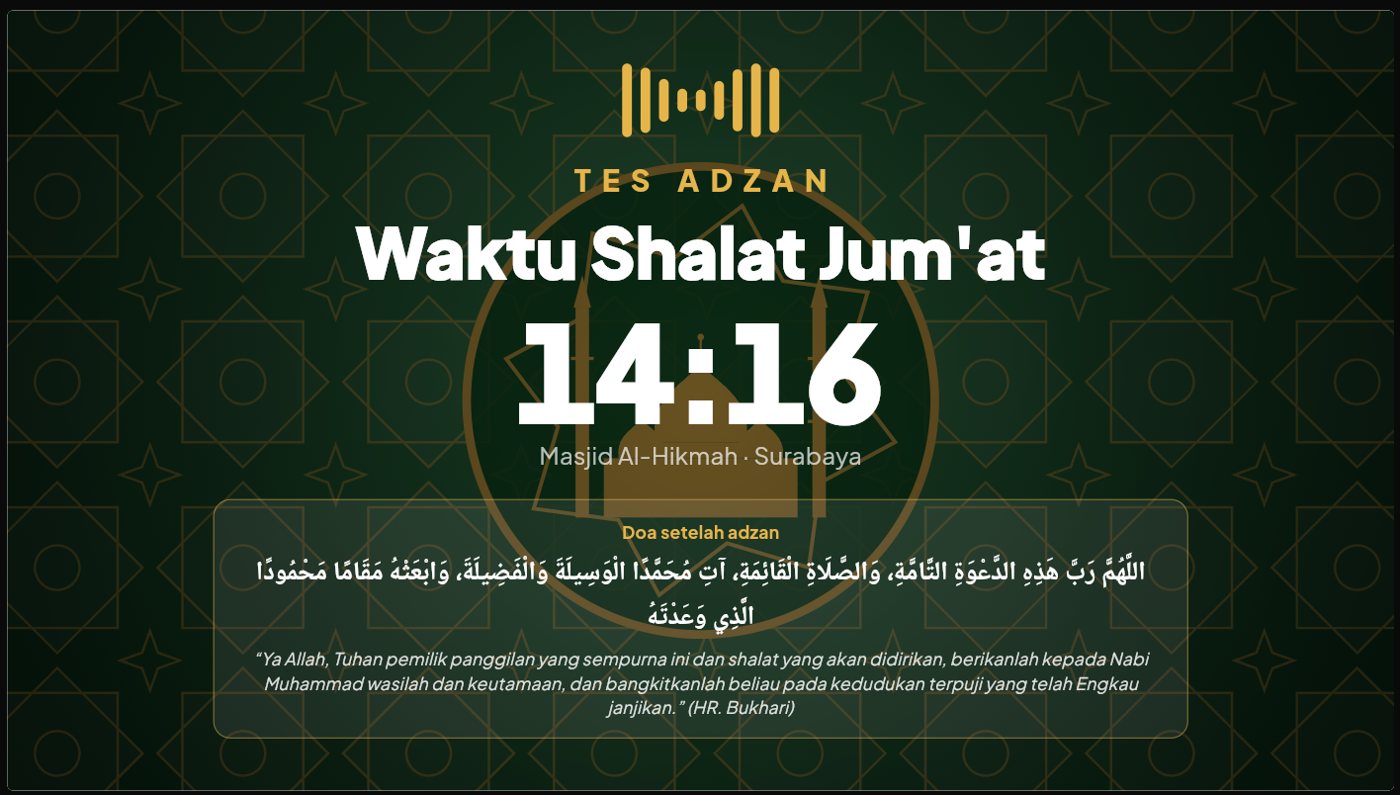
- Adhan & iqomahAdhan sound, iqomah countdown, and the post-adhan supplication on screen.
- Scrolling textScrolling text for other cities' times and short information.
- AnnouncementsRotating announcements for activities and congregation news.
- Info slidesLectures, donations, and the mosque's financial report appear in turn.
- Friday preacherThe Friday preacher's name appears on screen a week ahead.
- SecurityLock the settings with a PIN so only the committee can change them.
How it works
Ready in four steps
- 01Install Mihrab TVDownload the Mihrab TV app from Google Play on the mosque's Android TV or TV box.
- 02Pair the remoteDownload Mihrab Remote on the committee's Android phone, then connect it to the TV via Bluetooth or Wi-Fi.
- 03Set up from the phoneFill in the mosque profile, theme, announcements, info slides, and preacher.
- 04The screen changes instantlyEvery change from the phone appears on the TV right away, without touching the device.
Bring the mosque a screen that's always up to date, for free.
DOWNLOAD FREE ONGoogle PlayPrivacy policy