

SALLY
Sales Activity Field App
An Android field-sales companion built for LinkNet’s on-the-ground sales force. SALLY lets reps sign in securely with SSO, see their daily job targets at a glance, work through site-visit assignments, verify network coverage, monitor work orders, and keep learning — all from a single mobile app designed to connect more, deliver more, and achieve more.
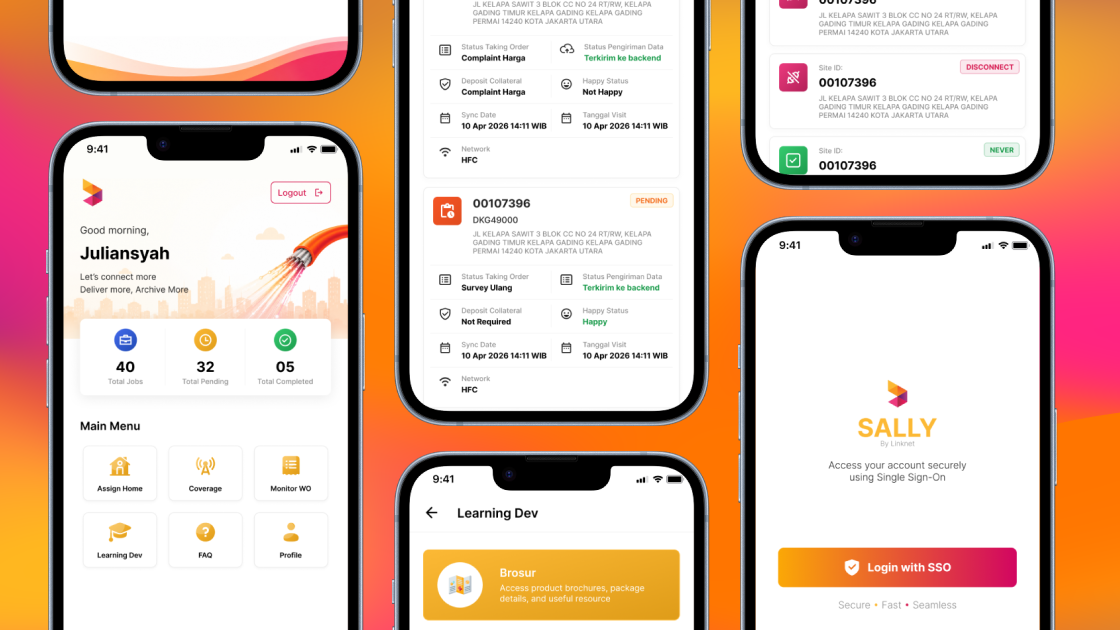
Android
Mobile Platform
6
Core Modules
SSO
Keycloak Secured
Field Sales
Workforce Tracking
Key Features
A complete look at how SALLY keeps LinkNet’s field sales team productive, accountable, and always in sync.
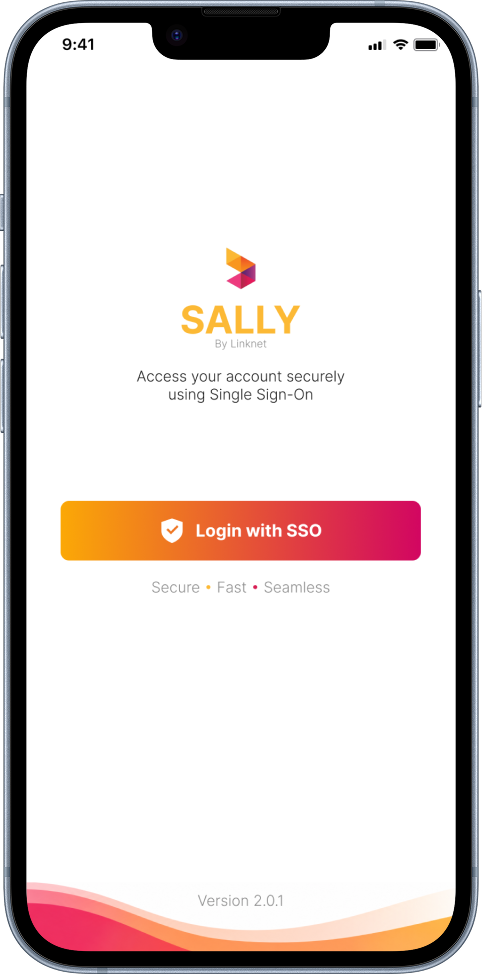
Secure Single Sign-On
SALLY removes the friction of passwords on the field. A single “Login with SSO” tap authenticates reps through LinkNet’s Keycloak identity provider — secure, fast, and seamless — so the right person gets the right access without juggling credentials.
- Single Sign-On via Keycloak identity provider
- Centralized, role-based access control across the workforce
- No stored passwords on device — secure, fast, seamless sign-in
Personalized Sales Dashboard
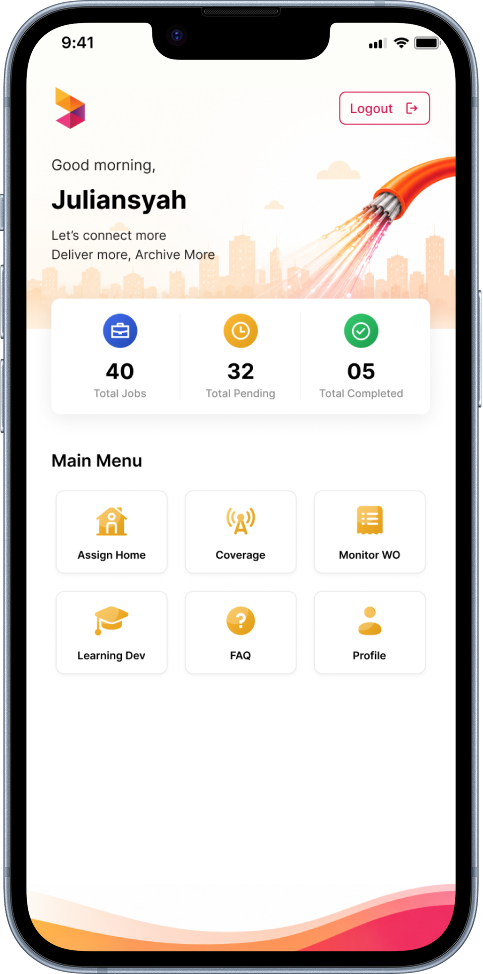
The home screen greets each rep by name and surfaces the numbers that matter — Total Jobs, Total Pending, and Total Completed — in three quick-glance counters. A clean six-tile main menu gives one-tap access to Assign House, Coverage, Monitor WO, Learning Dev, FAQ, and Profile.
- At-a-glance job counters: Jobs, Pending, and Completed
- Personalized greeting with a motivating daily tagline
- Six-tile quick-access menu to every core module
Assign House & Visit Tracking
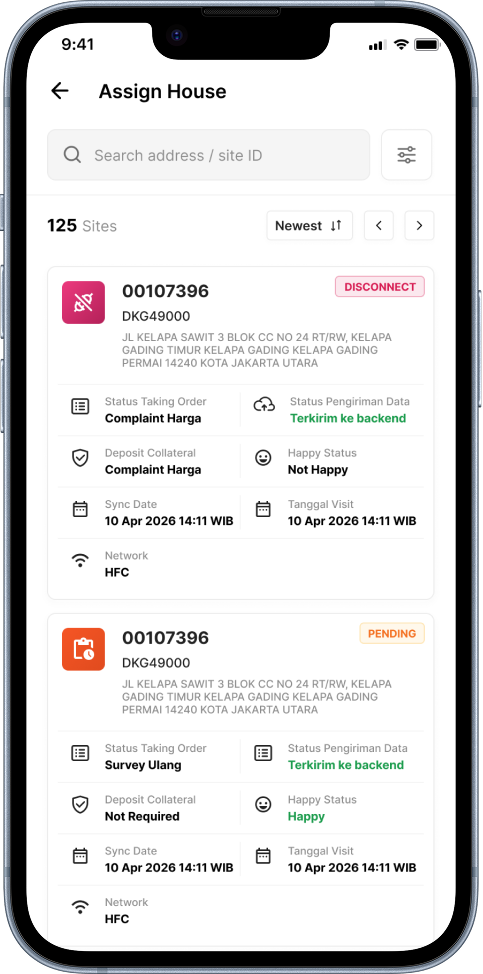
The heart of the field workflow: a searchable list of assigned sites — 125 in this view — each rendered as a rich card with Site ID, address, and live status badges (Disconnect, Pending). Reps see order status, backend sync state, deposit collateral, customer happiness, sync time, and last visit date at a glance.
- Search by address or Site ID, sortable with Newest filter
- Color-coded status badges — Disconnect, Pending, and more
- Backend sync state, visit dates, and HFC network indicators
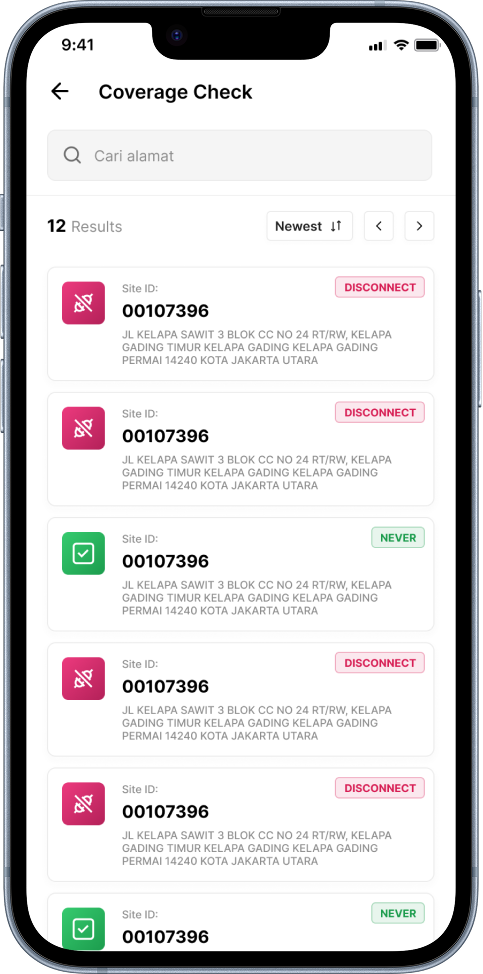
Instant Coverage Check
Before pitching a customer, reps can verify serviceability on the spot. Coverage Check returns matching sites by address with clear status indicators — from active locations to those marked Disconnect or Never connected — so the team only commits to addresses the network can actually serve.
- Search coverage by address with instant results
- Clear status badges — Disconnect and Never connected
- Confirm serviceability on-site before committing to a sale
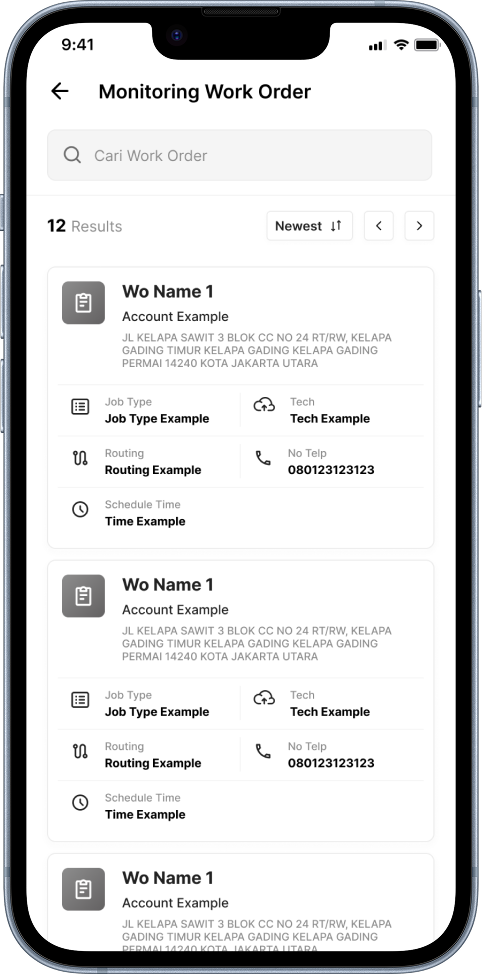
Work Order Monitoring
Sales doesn’t end at the order — SALLY follows it through fulfilment. The Monitoring Work Order module lists every WO with its account, job type, routing, assigned technician and contact, and scheduled time, giving reps end-to-end visibility into installation progress without leaving the app.
- Track work orders by account, job type, and routing
- Assigned technician and direct contact for every WO
- Schedule times and searchable, sortable WO list
More Modules
Beyond the daily workflow, SALLY bundles everything a field rep needs to stay informed, supported, and secure.
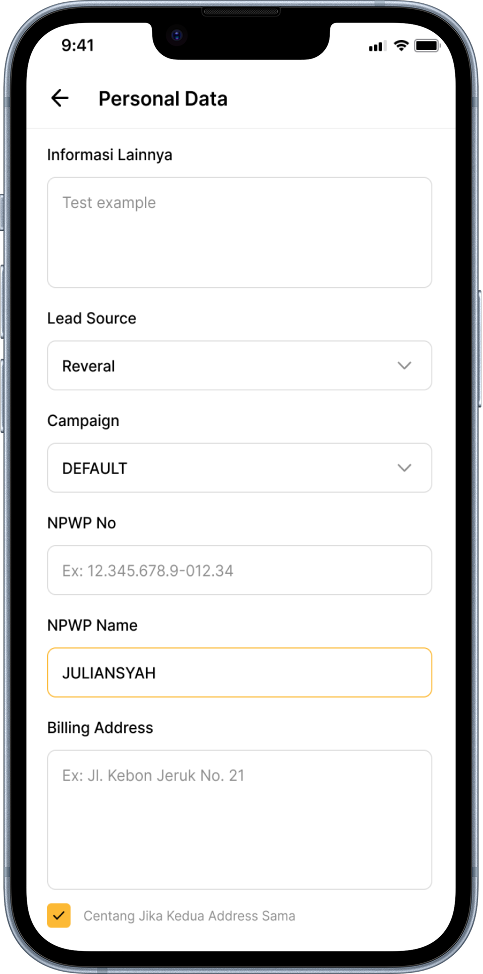
Personal & Customer Data
Capture complete prospect details — lead source, campaign, NPWP, and billing address — with smart shortcuts like “same as” address checkboxes.
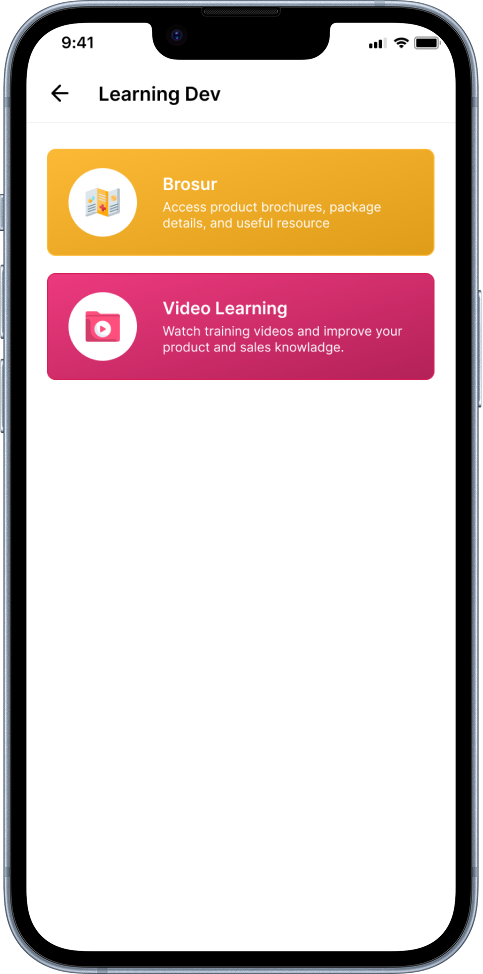
Learning & Development
An in-app knowledge hub — access product brochures and package details, and watch training videos to sharpen product and sales skills.
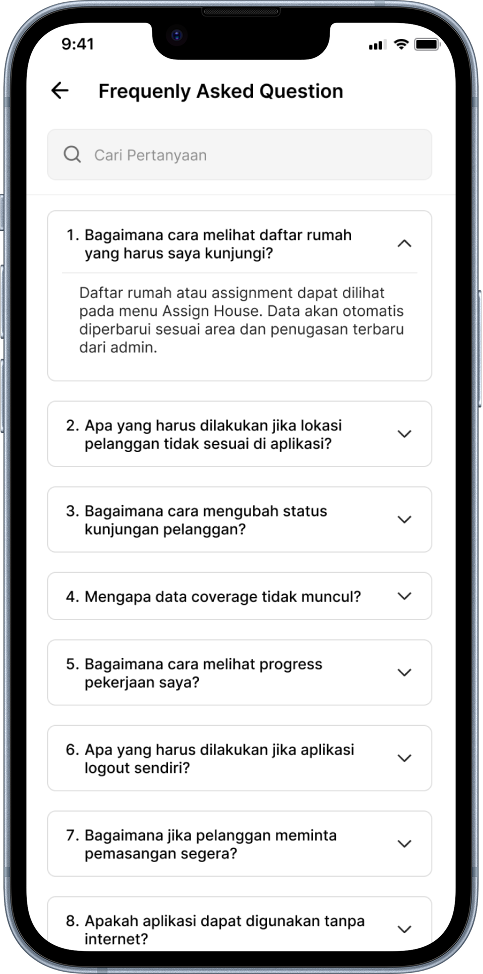
In-App FAQ
A searchable, accordion-style help center answering common field questions — from reading assignments to handling offline use — so support is always one tap away.
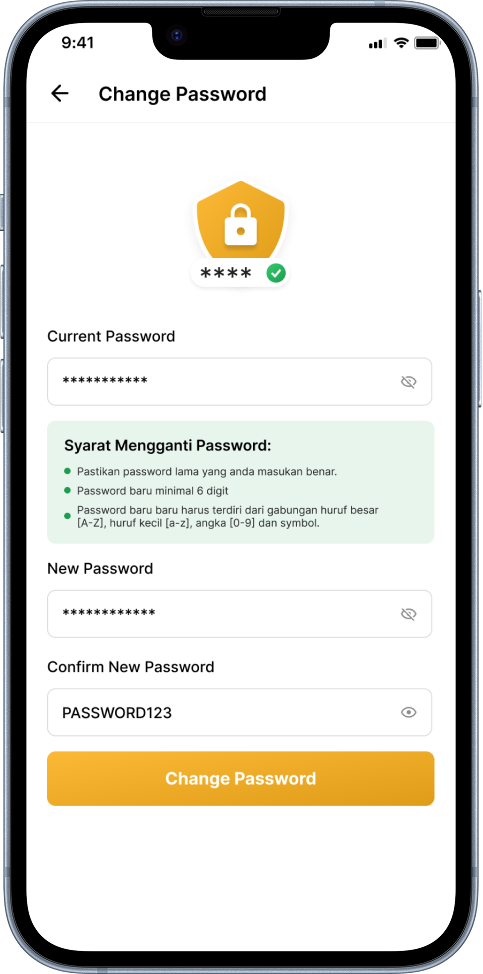
Account Security
Self-service password management with clear strength requirements and show/hide toggles, keeping each rep’s account protected on the go.
Branded Experience
A polished launch experience with the LinkNet identity and the SALLY brand, setting a professional tone from the very first second.
Built With Excellence
Mobile-first engineering designed for a fast-moving sales force that works wherever the customer is.
SSO Security
Enterprise-grade authentication through Keycloak Single Sign-On, with centralized, role-based access for the entire field team.
Native Android
A native Android build tuned for speed and responsiveness on the mid-range devices field reps actually carry.
Real-time Sync
Site and visit data syncs to the backend with clear status indicators, so the office and the field always see the same truth.
Productivity Focus
Job counters, searchable lists, and one-tap navigation keep reps moving through assignments with minimal friction.
In-App Learning
Brochures and training videos are built right in, so reps keep their product and sales knowledge sharp between visits.
Modular by Design
Six focused modules share a single data backbone, making SALLY easy to extend as LinkNet’s sales operations grow.


Let's Work Together
Have a project in mind? Let's get to work.
Or ready to develop the next big thing? Nice! We are ready too.