

Verixo
Real-time Fraud Detection
for Every Transaction
Verixo checks every transaction the moment it arrives — scoring it against the rules and blacklists you control, returning a clear decision to allow, review, challenge or block it, and opening a case for your analysts when something looks wrong.
0–100
Risk score per transaction
4
Decision outcomes
5
Blacklist types
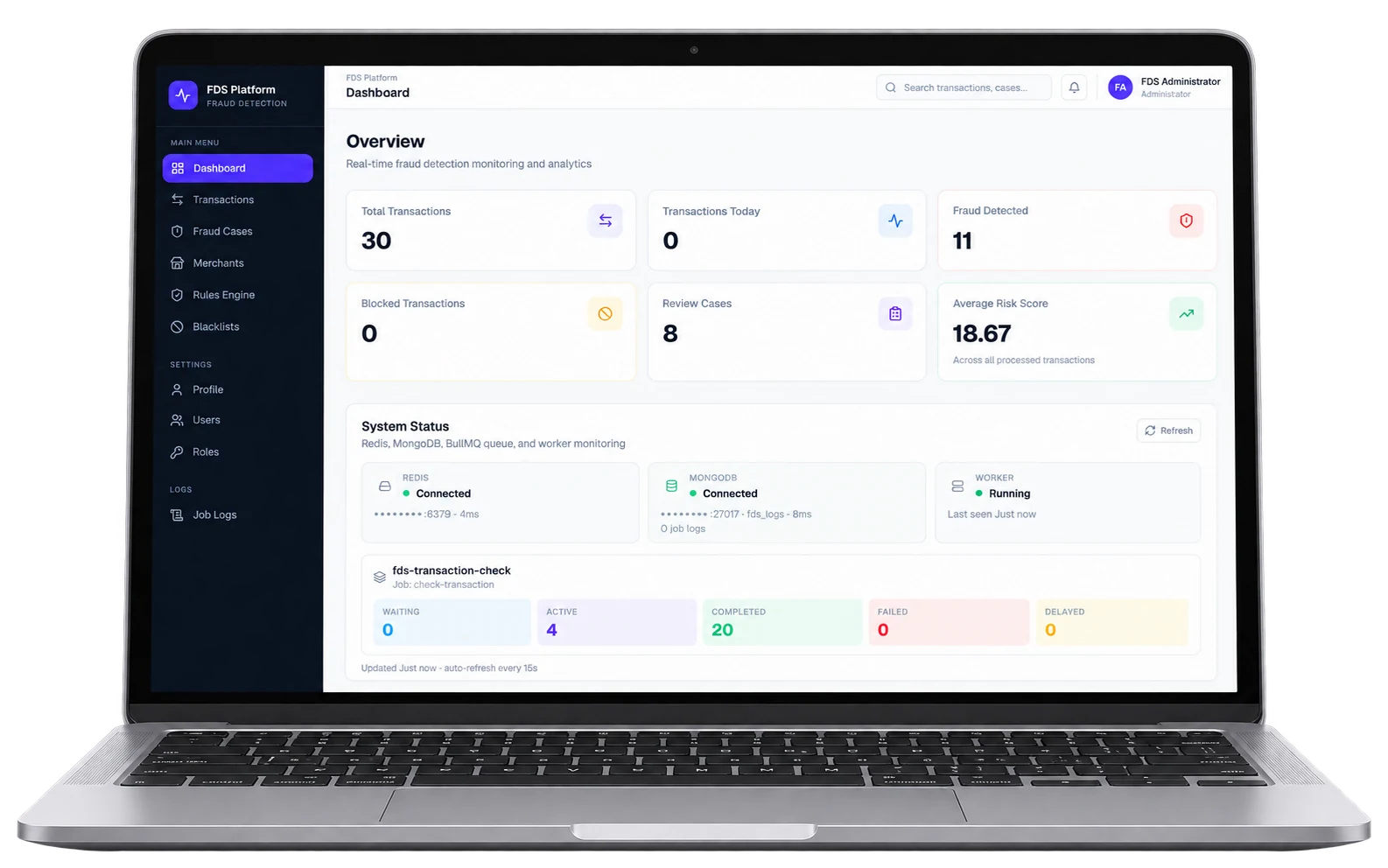
Every transaction is checked against
- IP Address
- Amount
- Velocity
- Device
- Location
- Blacklists
4 Modules · 1 Platform
Everything Your Fraud Team Needs, in One Platform
From the first risk score to the closed case, Verixo keeps detection, investigation and blocking in one place — so nothing slips between tools.
Real-time Transaction Scoring
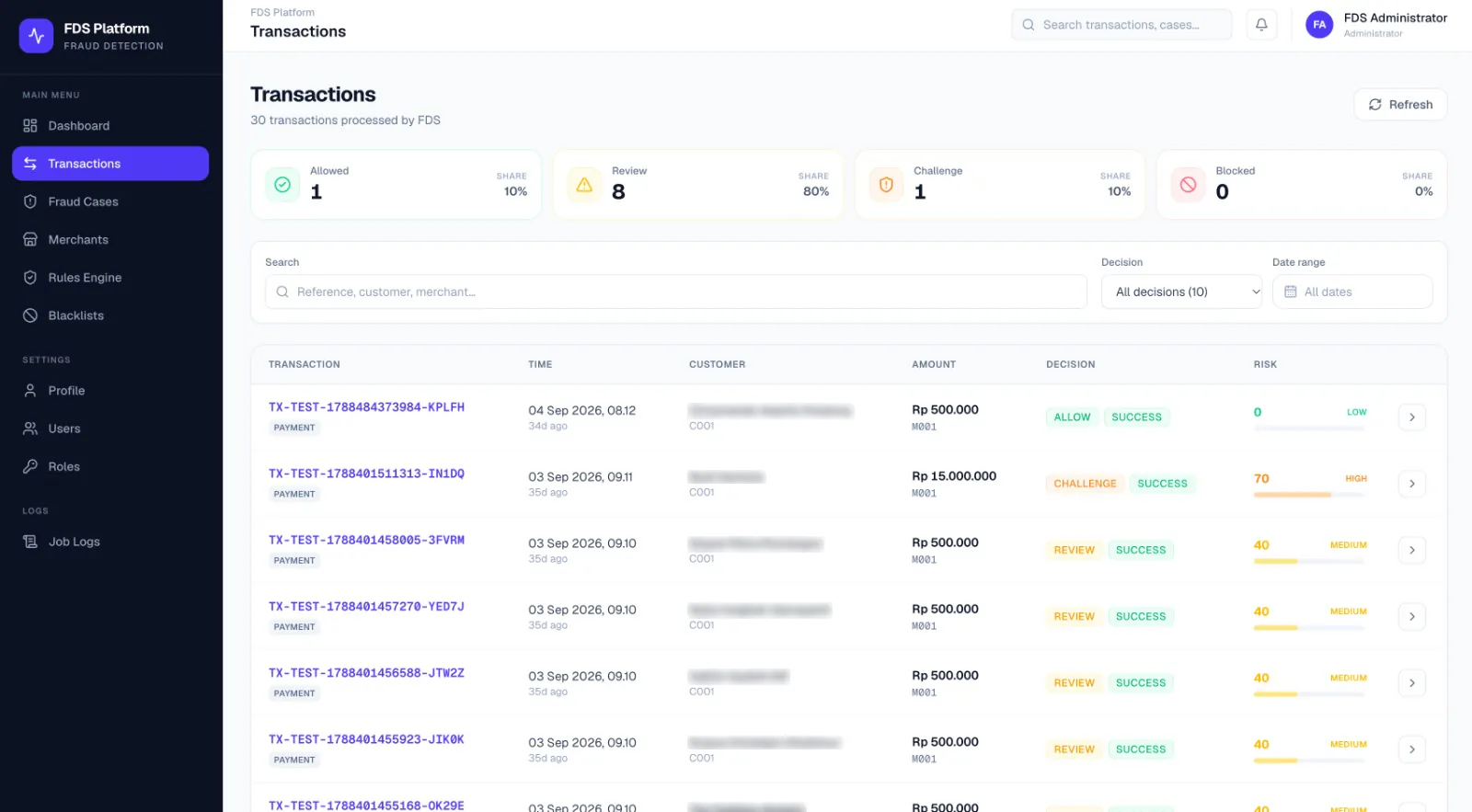
Every transaction comes back with two things your team can act on: a decision — Allow, Review, Challenge or Block — and a 0–100 risk score banded Low, Medium or High. The transaction list shows both side by side, so the risky ones stand out at a glance.
- A decision and a 0–100 risk score on every transaction
- A count and share for each decision, right above the list
- Search by reference, customer or merchant, and filter by decision and date range
A Rules Engine You Control
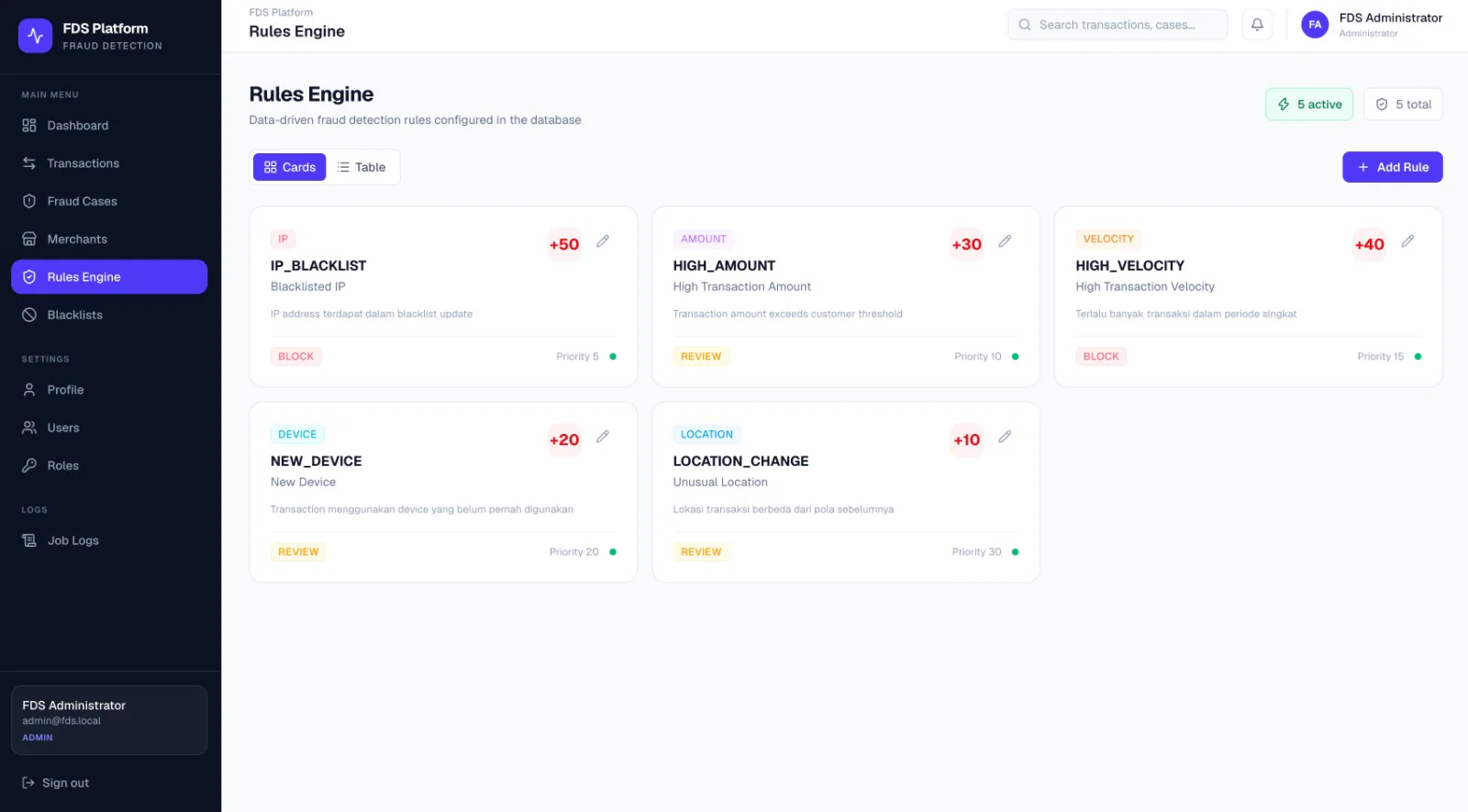
Fraud rules live as data in Verixo, not in code. Each rule watches one signal — IP, amount, velocity, device or location — and carries its own score weight, the action it recommends, and a priority, so your team can add and tune rules straight from the dashboard.
- A score weight per rule, from +10 for a location change to +50 for a blacklisted IP
- A recommended action and a priority on every rule
- Add and edit rules from the dashboard, and see at a glance which ones are active
Fraud Case Management
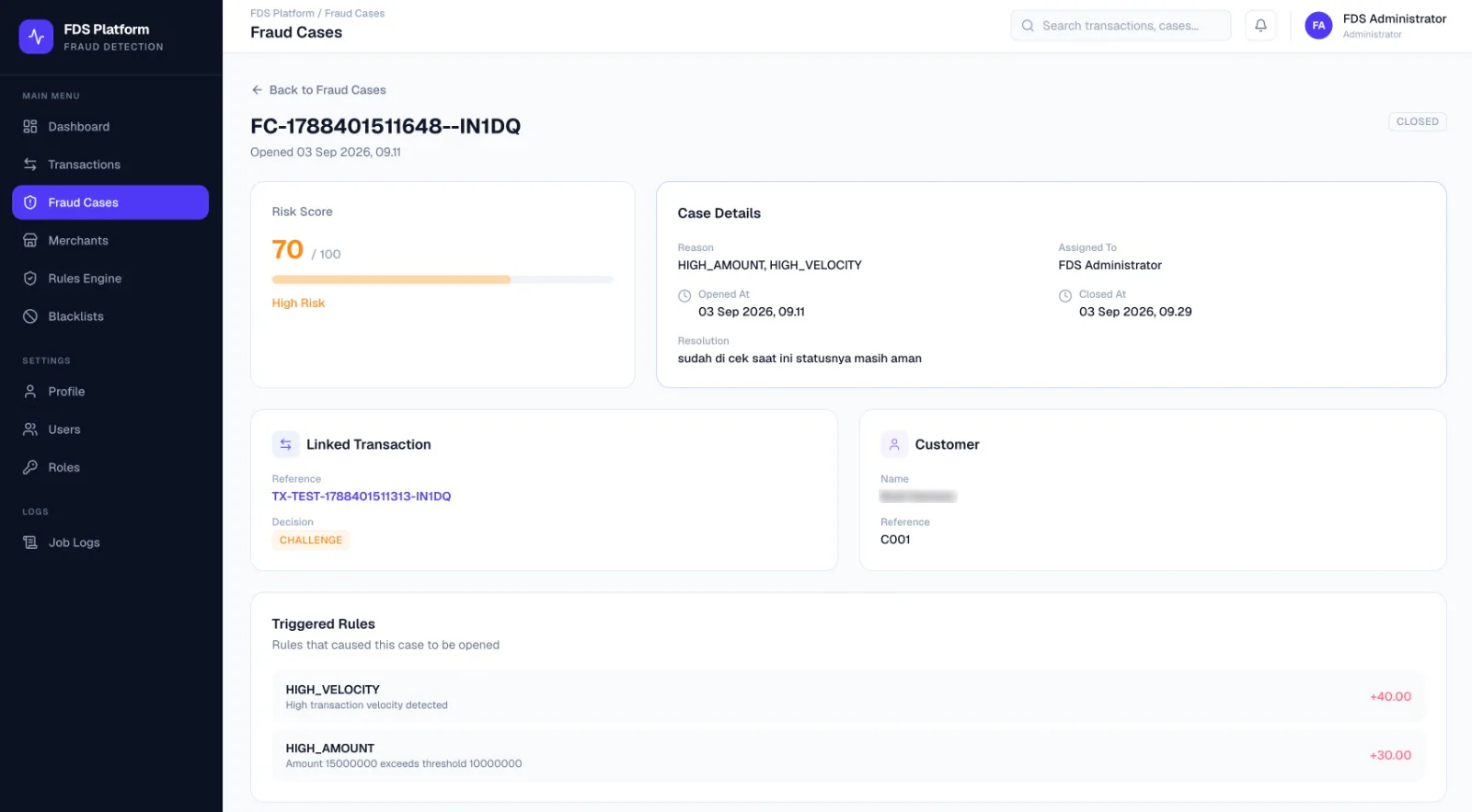
When a transaction is flagged, Verixo opens a case with everything an analyst needs: the risk score, the rules that triggered and how much each one added, the linked transaction and its decision, and the customer. Cases are assigned, timestamped and closed with a written resolution, so every call leaves a record.
- Triggered rules listed with each one’s contribution to the score
- An assigned analyst and opened and closed times on every case
- A resolution note kept with the case when it’s closed
Blacklists
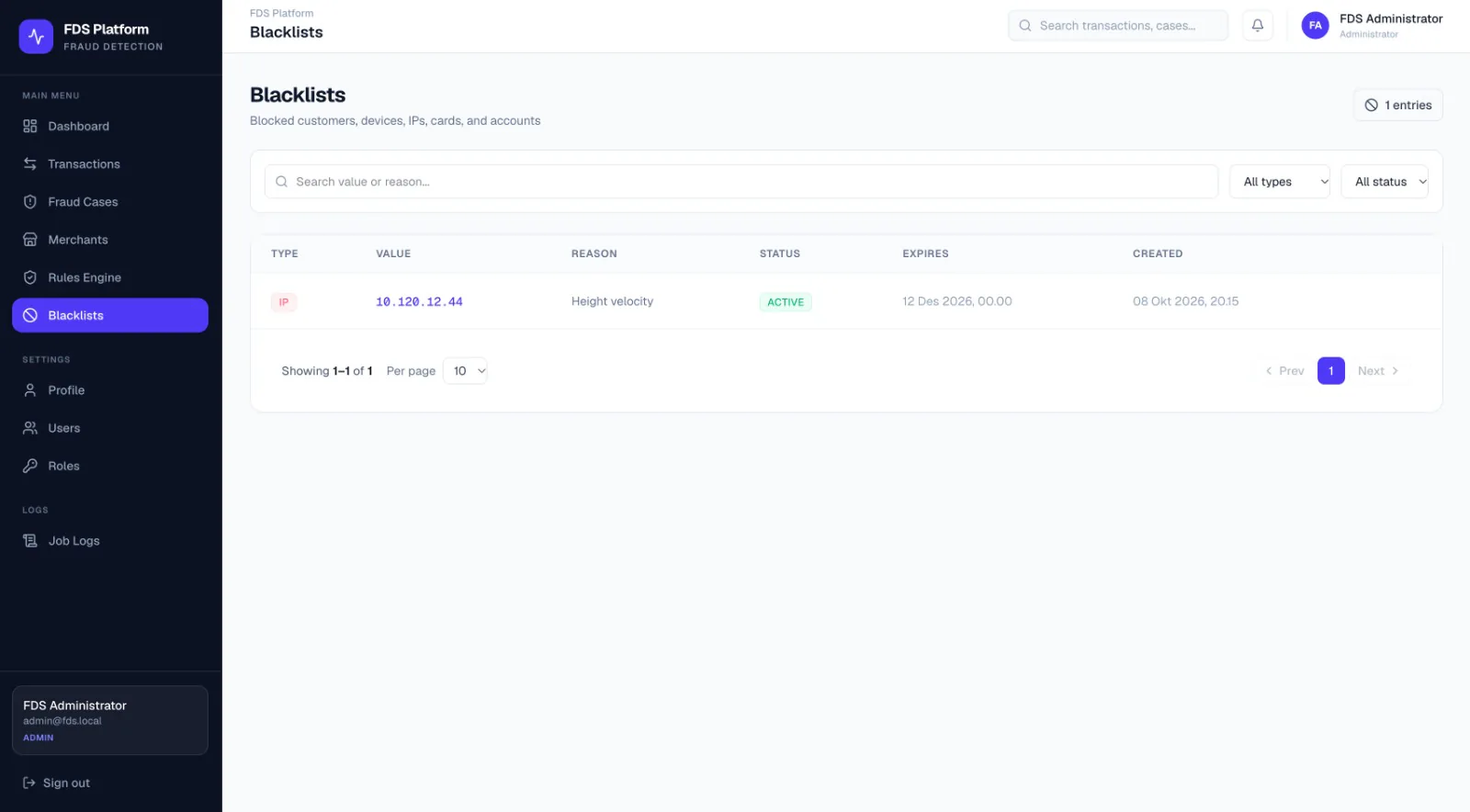
Keep known bad actors out. Verixo blacklists customers, devices, IP addresses, cards and accounts, each entry with a reason, a status and an expiry date — and a blacklisted IP feeds straight into scoring through the IP_BLACKLIST rule.
- Five entry types: customer, device, IP, card and account
- A reason, a status and an expiry date on every entry
- Search by value or reason, and filter by type and status

From Transaction to Decision, Here’s the Flow
Follow a transaction through the automated check, then see what happens when one is flagged for your team.
-
Transaction Received
Each transaction is queued for checking and picked up by a worker, with queue and worker health shown live on the dashboard.
-
Rules Evaluated
Every active rule checks its signal — IP, amount, velocity, device or location — and each one that triggers adds its weight.
-
Risk Scored
The weights add up to a risk score from 0 to 100, banded Low, Medium or High.
-
Decision Recorded
The transaction gets its decision — Allow, Review, Challenge or Block — and the dashboard updates with it.
-
Case Opened
A flagged transaction opens a fraud case carrying its risk score and the rules that triggered it.
-
Analyst Assigned
The case is assigned to someone on your team, stamped with the time it was opened.
-
Investigated
The analyst reviews the linked transaction, the customer and each triggered rule side by side.
-
Closed With a Resolution
The case is closed with a written resolution and a timestamp, and stays on record.
Transparency
Every Decision Comes With Its Reasons
A Verixo risk score is never a black box. It’s the sum of the rules that triggered, each listed with its weight, so analysts can see exactly why a transaction was flagged — and explain it to anyone who asks.
- Weighted, Configurable Rules
- Priority & Action per Rule
- Rules Stored as Data, Not Code
- 5 Blacklist Types
- Users & Roles
- System Health & Job Logs
Worked example
How a Score of 70 Adds Up
-
+40
HIGH_VELOCITY
High transaction velocity detected
-
+30
HIGH_AMOUNT
Rp 15.000.000 exceeds the Rp 10.000.000 threshold
Risk score
70 / 100
High risk
Decision
Challenge

Ready to Catch Fraud
in Real Time?
Tell us how your transactions flow, and our team will walk you through Verixo in a demo.